


If you rely on CenturyLink email for personal messages, bill notifications, or work correspondence, you already know how frustrating it feels when the inbox suddenly will not load. CenturyLink email is the webmail service tied to CenturyLink internet accounts, and while it works smoothly most of the time, login hiccups, password resets, and setup questions come up often enough that a clear guide genuinely helps.
This article walks through everything you need to know about CenturyLink email, from signing in correctly to fixing the most common access problems, so you can spend less time troubleshooting and more time actually using your inbox.
What Is CenturyLink Email and Who Provides It
CenturyLink email is the webmail platform offered to CenturyLink internet subscribers, and it is managed under Lumen Technologies, the parent company behind the CenturyLink brand. Every CenturyLink email account typically ends in the centurylink.net domain, and the inbox itself is accessed through a dedicated webmail portal rather than a generic third-party email provider.
Because CenturyLink email is bundled with an internet subscription, it is meant to stay active as long as you remain a customer, though the company does ask users to sign in at least once a year to keep the account from going dormant. This is worth remembering if you have a secondary CenturyLink email address you rarely check, since long stretches of inactivity can eventually affect access.
How to Log In to CenturyLink Email
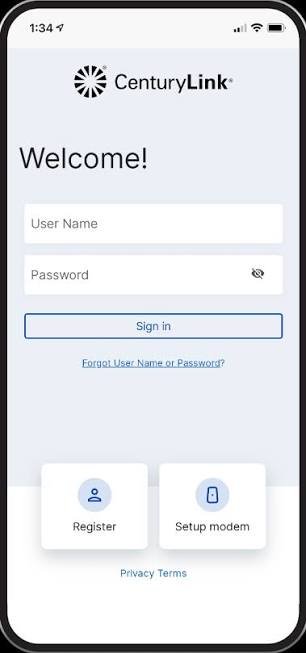
Logging into CenturyLink email starts at the official webmail portal, typically reached by visiting webmail.centurylink.net directly in your browser. From there, entering your full email address and password takes you straight to your inbox, provided your credentials are correct and your account is currently active.
Many CenturyLink email users also choose to enable a “stay signed in” option, which keeps the inbox accessible without re-entering a password every time on trusted personal devices. CenturyLink specifically advises against using this option on public or shared computers, since it removes the extra security layer of a fresh login each session.
Two-Factor Authentication for CenturyLink Email
For added protection, CenturyLink email supports two-factor authentication, which requires a secondary verification step beyond just your password. Once enabled, signing in usually involves confirming your identity through a linked device or backup code, which significantly reduces the risk of unauthorized access even if your password is ever compromised.
If you lose access to the device tied to two-factor authentication on your CenturyLink email account, contacting CenturyLink support directly is the fastest way to regain entry, since backup codes are the intended safety net for exactly this situation.
Fixing Common CenturyLink Email Login Problems
Even reliable systems run into occasional hiccups, and CenturyLink email is no exception. The most frequent issue is simply an incorrect password, often caused by autofill errors, an accidental Caps Lock press, or a password that was changed on another device and never updated elsewhere.
Resetting your CenturyLink email password is usually straightforward through the official password recovery page, where you confirm your identity using a recovery phone number or secondary email address on file. If you have not set up an account recovery option yet, doing so now, rather than waiting until you are locked out, is one of the simplest ways to avoid a stressful troubleshooting session later.
When CenturyLink Email Storage Fills Up
Another issue that quietly affects performance is a full inbox, since accumulated messages, especially in spam or junk folders, can eat into your available storage. CenturyLink email accounts come with a generous storage allowance, but letting junk mail pile up unchecked can still slow things down or cause delivery issues over time.
Periodically clearing out spam and old attachments in your CenturyLink email account is a simple habit that keeps the inbox running smoothly and reduces the odds of running into storage-related errors during busy periods.
Setting Up CenturyLink Email on Other Devices and Apps
Many users prefer checking CenturyLink email through a dedicated desktop or mobile email client rather than the browser-based webmail portal. Most modern email applications can auto-detect the correct server settings for a centurylink.net address, which makes setup considerably easier than it used to be with older mail systems.
If your email client does not detect settings automatically, you may need to manually enter the incoming and outgoing mail server details for CenturyLink email, which support documentation on CenturyLink’s official site outlines in full. Once configured correctly, your CenturyLink email will sync across devices just like any standard IMAP-based account.
Keeping Your CenturyLink Email Account Secure
Since CenturyLink email often connects to billing notifications, service updates, and sometimes sensitive personal correspondence, basic account security deserves real attention. Using a strong, unique password, enabling two-factor authentication, and avoiding the “stay signed in” option on shared devices are all simple steps that meaningfully protect your CenturyLink email account.
It is also worth staying alert to phishing attempts that imitate official CenturyLink email notifications, asking you to “verify” your account through a suspicious link. The Federal Trade Commission’s guidance on recognizing phishing emails is a useful general resource if you ever receive a message that feels slightly off, regardless of which email provider you use.
Conclusion
CenturyLink email remains a dependable communication tool for millions of subscribers, and most login or access issues come down to a handful of predictable causes: an outdated password, a lapsed login, or a cluttered inbox. By understanding how the webmail portal works, enabling two-factor authentication, and keeping your recovery options up to date, you can avoid the most common frustrations tied to CenturyLink email and keep your account running smoothly for the long term.
Frequently Asked Questions About CenturyLink Email
Where do I log in to my CenturyLink email account?
You can sign in directly at webmail.centurylink.net using your full email address and password.
What should I do if I forget my CenturyLink email password?
Use the official password reset option and verify your identity through your recovery phone number or secondary email address.
Does CenturyLink email support two-factor authentication?
Yes, you can enable two-factor authentication for extra security, which requires a secondary verification step during login.
Why does my CenturyLink email keep running into storage issues?
A full inbox, often caused by accumulated spam or junk mail, can affect performance, so clearing it out periodically helps.
Can I access CenturyLink email through apps like Outlook or Apple Mail?
Yes, most email clients can auto-detect CenturyLink email server settings, or you can enter them manually using CenturyLink’s official setup guide.
more related blog
